Menu Bar Integration
Track time without opening another window.
TimeMizwo lives in your macOS menu bar. Start, stop, and switch timers with a single click. See today’s total at a glance. It’s always there, never in the way.
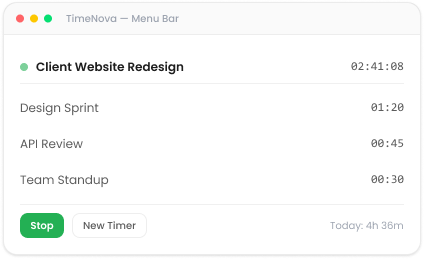
Native macOS app with menu bar integration, automatic app tracking, and full offline support. Built as a universal binary runs natively on Apple Silicon and Intel.
Features
TimeMizwo for Mac is designed around how Mac users actually work, keyboard shortcuts, menu bar, and all.
TimeMizwo lives in your macOS menu bar. Start, stop, and switch timers with a single click. See today’s total at a glance. It’s always there, never in the way.
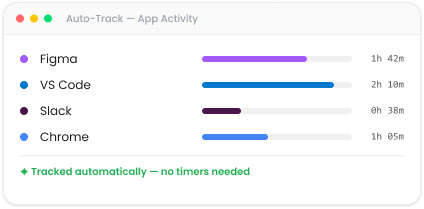
Optional screenshots and activity tracking give you visibility into progress without micromanaging. It’s proof of work, not surveillance.
System Requirements
Integrations
TimeMizwo connects with the project management, invoicing, and communication tools your team already relies on no workflow disruption.







FAQ
No credit card. No setup fees. Just clarity on where your time goes.